
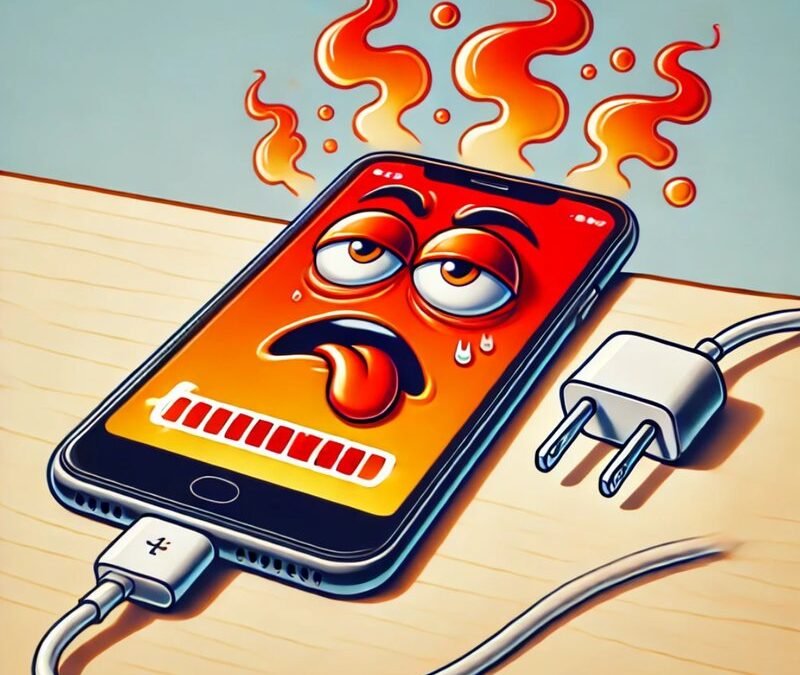
You return to a handset left plugged in and find the back panel warmer than expected, warm enough to make you pull the cable out on instinct. Sometimes that reaction is exactly right. Other times the warmth is ordinary physics doing unremarkable work. Learning to separate those two situations protects both the battery and your peace of mind. This piece works through the sorting in question order: why warmth happens, how to judge it, what might be causing extra heat, and how to cool things safely.
Why Does Plugging In Create Warmth at All?
Charging is work, and work produces heat. Reference accounts of charging explain that converting and storing energy is never perfectly efficient, so some energy always escapes as heat rather than landing in the battery. The power arriving from the wall has to be reshaped to suit the battery, the battery chemistry itself resists a little as it fills, and that resistance shows up as warmth you can feel through the back panel, especially near the middle or lower half of the handset.
Speed changes the picture. Fast charging pushes energy in harder, so it tends to produce more noticeable warmth than a slow overnight trickle, without that warmth meaning anything is wrong. Charging through a pad is the wasteful route: more energy is lost than with a cable, because some power is lost between the pad and the handset before storage even begins, and that lost portion also becomes heat. A phone that feels clearly warm on a wireless pad yet only mildly warm on a cable is behaving exactly as the physics predicts.
Warmth also rises when the phone refuses to rest while it charges. A handset downloading updates, backing up photographs or finishing a game download is running its processor at the same time as its charging circuits, and two sources of heat add together. This is why the same phone can feel cool on one evening and surprisingly warm on another, with nothing broken either time. Context matters as much as touch. Ask what the phone was doing while plugged in before judging the temperature of its back.
Finally, surroundings count. A phone charging on a sunny windowsill, tucked beneath a pillow, or left inside a sun-warmed parked car starts hot and stays hotter, because the heat it makes has nowhere to go. The same charging session on a cool hard surface in a shaded room feels unremarkable. Before blaming the charger or the battery, consider the simple geography of where the handset spent its charging hour. Ordinary warmth has ordinary explanations, and most warm phones are explained completely by speed, activity and surroundings combined.
How Can You Tell Warmth From a Warning?
Gentle, even warmth spread across the back, in a phone that is working normally, charging at its usual pace and showing no messages, is the ordinary kind. It should ease once charging finishes or the heavy task ends. Warning warmth feels different in character: localised hot spots, heat that keeps building instead of levelling off, or warmth paired with strange behaviour such as sudden slowdowns, a swollen back, odd smells, or the handset pausing its own charging to protect itself.
Folklore makes this sorting harder, because confident nonsense circulates about every household repair. Kitchen work suffers the same problem, where a stubborn garbage disposal myth versus real fixes argument shows how confidently repeated home advice can still be wrong, so heat claims deserve the same sceptical sorting. A neighbour may swear that any warmth means a dying battery, or that a hot phone should be chilled as fast as possible. Treat sweeping claims with suspicion and trust observable signs instead: how the heat behaves, and what the phone itself reports.
The phone own signals are your best witnesses. Modern handsets monitor their temperature and act when it climbs too far, slowing or pausing charging and sometimes showing a clear warning on screen. A handset that warns you, refuses to charge until it cools, or shuts features down is not being dramatic. It is protecting its battery, and it deserves to be unplugged, moved somewhere cooler and left alone until it recovers on its own.
Certain signs should end all home judgement and send the device to professionals. A back panel that bulges or lifts, a screen pushing outward, any chemical or burning smell, hissing, or heat so strong the phone is uncomfortable to hold all belong in that category. Stop charging it, keep it away from bedding and paper, and seek service rather than experiments. A battery showing physical change is not a puzzle to solve at the kitchen table. It is a safety matter, and treating it as one is the wise response.
Could the Charger, Cable, or Case Be to Blame?
Often, yes, and these are the easiest culprits to test. Guidance collected in Apple Support guidance on iPhone temperature limits explains that handsets are designed to operate within a moderate ambient range and that hotter surroundings can permanently shorten battery life, with the handset warning or slowing charging when it grows too warm. Put the charging gear in that frame: equipment that pushes power poorly, or traps heat around the phone, works against the moderate conditions the battery prefers.
Start with the charger and cable themselves. A damaged cable, a plug with loose innards, or a bargain charger built carelessly can deliver power unevenly and waste more of it as heat. Swap in the original charger supplied in the box, or a reputable stand-in, and a cable you trust, then compare how the next charging session feels. If the warmth drops with known good equipment, you have found your culprit without opening anything or spending on repairs.
The case deserves suspicion too. Thick or insulated cases hold warmth against the back panel exactly where the battery sits, so a phone that charges cool without its case and hot within it is telling you something simple. During long or fast charging sessions, removing the case gives heat a clear escape route. Wireless charging through a thick case adds its own inefficiency as well, since the pad and phone sit further apart, and more wasted energy again means more heat.
Placement completes this check. Charge on a hard, flat surface in open air, not on a bed, sofa or pile of laundry where warmth buries itself. Keep the phone out of direct sun and away from radiators while it fills. These sound like fussy details, yet combined they decide whether ordinary charging heat drifts away harmlessly or accumulates into the kind of warmth that shortens battery life over months. Most charger blame, fairly assigned, ends up being placement blame in disguise.
Is Background Work or an Ageing Battery Adding Heat?
Sometimes the charger is innocent and the workload is guilty. Material gathered in Samsung Support guidance on Galaxy device temperature notes that warmth during fast or wireless charging can be normal while certain signs call for service, and the same balanced view helps here: a Galaxy or any other handset labouring through updates, cloud backups or a demanding game while charging will run hot for honest reasons. Check what the phone was doing. A screen full of progress bars explains a warm back better than any fault theory.
Background habits you can change make a real difference. Let large updates and backups happen while the phone charges slowly, or charge first and update afterwards, rather than stacking every heavy job into the same hour. Streaming video while fast charging is another reliable heat recipe, since the screen, the radios and the charging circuits all work at once. Separating the jobs, even roughly, often ends the warmth problem entirely, because the phone was never overheating at one task, only at three tasks layered together.
Age, though, changes the answer over time. Batteries wear, and a worn battery works harder, holds less and can warm more readily than it did when new, particularly if it also drains noticeably faster than it used to or shuts down with charge still showing. Those companions to warmth, rapid drain and early shutdowns, point toward the battery rather than the charger. Battery health screens on many handsets give a rough picture of wear, and a reading that has fallen far is worth a conversation with a service centre.
Distinguish age from abuse by looking at the whole pattern. A three season old phone that warms gently while fast charging yet still lasts the day is probably fine. The same phone warming sharply, swelling even slightly, or smelling strange has crossed from ageing into the warning territory described earlier, and service stops being optional. Warmth alone is a symptom with many innocent causes. Warmth in company with swelling, smells, warnings or sudden shutdowns is a verdict, and it should be acted on promptly.
What Is the Safest Way to Cool Things Down?
When a phone feels too warm, the safe response is boring on purpose. Unplug it, or lift it off the wireless pad, and stop the heavy work it was doing. Close the game, pause the download, and let the screen go dark. Move the handset to a cool, shaded spot on a hard surface, take its case off so warmth can escape, and simply leave it alone. Heat made slowly also leaves slowly, and patience is the main tool here.
Give it time rather than tricks. Within a while the back should return to room temperature on its own, and once it feels ordinary again, charging can resume, ideally more gently: a slower charger, the case off, and no demanding apps running alongside. If the phone shows a temperature warning, respect it fully and wait until the warning clears by itself. The handset knows its own limits better than any household remedy, and overriding its caution helps nothing.
One warning belongs in plain words. Never try to cool a handset with cold shocks, and never place it in a fridge or freezer. Sudden cold can crack materials, draw moisture inside as condensation, and damage the battery you were trying to protect, quite apart from being useless once the phone returns to room air. Gentle air and time are the whole method. Anything more dramatic trades a temporary worry for real and lasting harm.
Finish with a simple pattern for future charging. Charge in open air on hard surfaces, favour slower charging overnight when speed buys you nothing, keep heavy jobs and fast charging in separate hours where you can, and use equipment you trust. Notice warmth early, sort it by behaviour rather than folklore, and act promptly on the serious signs. Done that way, a warm phone becomes what it usually is: an ordinary side effect, noticed, understood, and safely managed.


