
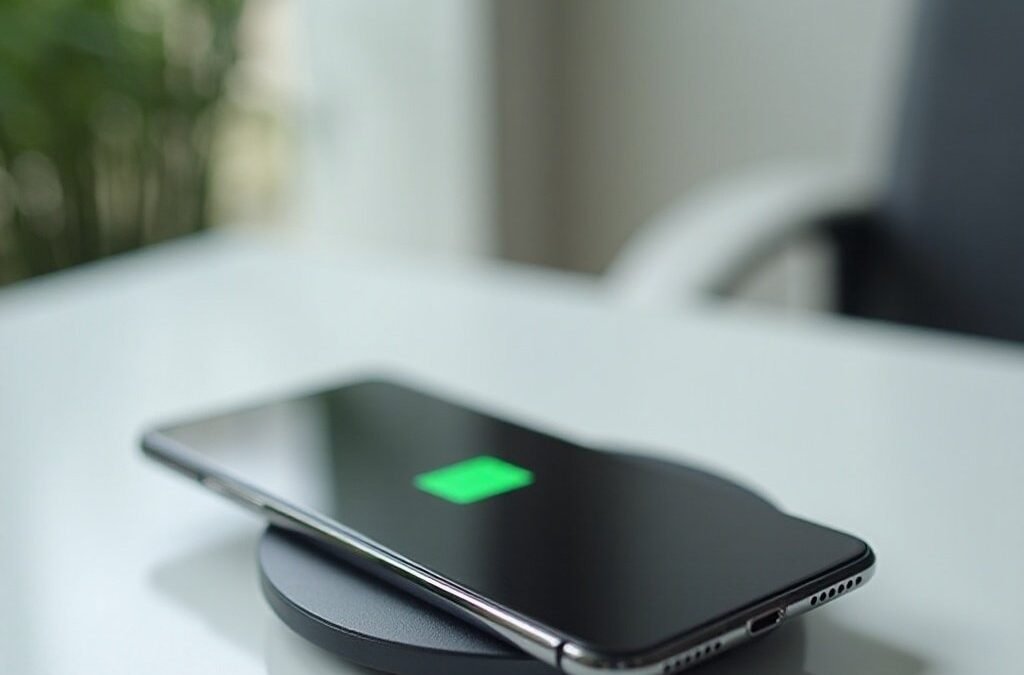
An hour on the charger should have filled the battery, yet the display sits stubbornly at the same capped level, as if the handset quietly decided enough was enough. In a sense, it has. Many modern phones deliberately pause near a ceiling chosen to protect their batteries. Finding that setting turns a suspected fault into a simple choice.
The order of investigation matters, because the likeliest explanations are settings rather than damage. Work through the checklist below from the top, testing as you go, and stop the moment the behaviour makes sense. Most owners find their answer in the opening items, long before cables, heat or wear need to enter the conversation at all.
Reading the Stop as a Setting Rather Than a Fault
Here is the checklist, in the order worth checking. First, look for a charge limit setting that caps the battery at a chosen ceiling. Second, look for an optimised or adaptive charging feature that holds the charge overnight and finishes near your waking time. Third, on Galaxy handsets, look for a battery protection mode that may be set stricter than you realised. Fourth, consider heat, since a hot handset pauses or slows charging until it cools. Fifth, test the cable and charger with a known good spare. Sixth and last, consider honest wear, because an old battery can behave oddly even when every setting is innocent.
Readers keeping an ageing handset in service meet the same decision from the other side, since an owner weighing a cracked phone screen repair is also choosing thoughtful upkeep over premature replacement. A phone that stops at a ceiling is usually practising that same upkeep on its own behalf. The battery inside any handset ages fastest when it sits full for long stretches, so makers built in ceilings and overnight holds as quiet protection, and the behaviour that looks like a fault is frequently the protection working exactly as designed.
The test that separates setting from fault is simple observation. A handset stopped by a setting rests at the same level again and again, calmly, and stays usable and cool. A handset with a genuine problem behaves erratically, dropping charge, warming without cause, or charging in fits. Consistency is reassuring here. If the stop is steady and repeatable, work the checklist with confidence that you are adjusting a choice, not diagnosing a breakdown.
Notice, too, what the stop is not. It is not the battery refusing charge altogether, nor the percentage falling while plugged in, nor the handset switching itself off at levels that should still run. Those behaviours belong to a different conversation about faults and repairs. A calm, repeatable pause at the same ceiling, with the phone otherwise behaving exactly as it should, points at design rather than damage, and design can be adjusted with a few taps whenever you wish.
Charge Limits and Overnight Holds on iPhone
Apple builds the ceiling directly into the battery settings on newer iPhones. The Apple Support page on iPhone charge limits and optimised charging describes a charge limit setting that can cap charging at eighty percent, alongside optimised charging that holds the handset near that level overnight and finishes shortly before the usual waking time. Either feature, switched on and forgotten, produces exactly the mystery this article opened with: a phone resting at a capped level while still plugged in.
The two features solve slightly different problems. The fixed limit suits owners who spend their days near a charger and rarely need a completely full battery, since the battery simply never sits at the stressful top of its range. The optimised hold suits owners who charge overnight, because the handset waits at a gentler level through the small hours and tops up near the alarm, so the battery spends as little time as possible sitting full.
Changing either is a matter of a short visit to the battery health area of the settings, where the current choice is shown plainly. If you find a limit set and your routine has changed, raising it or choosing the optimised pattern instead is a legitimate choice rather than a defeat for the setting. The protection exists to serve the way you actually use the phone, and a ceiling that no longer matches your life can be adjusted in moments.
It is also worth knowing that the handset may occasionally charge past its usual behaviour for its own reasons, such as preparing for a day it expects to be long, and such exceptions do not mean the setting has failed. Judge the pattern across a week of ordinary nights rather than by a single morning. A limit that holds nearly every night, with the odd exception, is a limit working as intended, and the capped mornings in between remain the ones worth understanding.
Protection Modes on Samsung and Pixel Handsets
Samsung takes a tiered approach on Galaxy handsets. The Samsung Support guidance on Galaxy battery protection describes its battery protection modes, where the strictest mode also stops charging at eighty percent and gentler modes learn a sleep pattern instead, holding the charge and finishing near the time you usually wake. An owner who enabled the strictest mode during setup, or inherited the phone with it on, can easily mistake its ceiling for a fault months later.
The gentler Samsung modes work much like the overnight holds elsewhere. Rather than a fixed ceiling, they watch your routine, pause at a kinder level while you sleep, and complete the charge toward morning. That means the capped display you notice on waking early is temporary by design, and leaving the phone plugged in a little longer would have shown it finishing. Checking the clock against your usual alarm explains many of these pauses without changing a single setting.
Pixel handsets approach the same problem through adaptive charging, which Google support material describes as pacing an overnight charge so it completes near a morning alarm. The handset needs that alarm set to aim at, so an irregular schedule can make the pacing look strange. Across all three brands the theme is identical: the pause near the top is deliberate, tied to your routine, and reversible in the battery settings whenever the routine changes.
Because these modes live in the battery settings under names that differ slightly between brands and models, the exact wording on your handset may not match your neighbour handset word for word. Search the settings for terms around protection, adaptive charging and limits rather than hunting for one exact label. The feature is present on most modern handsets from these makers; it is merely filed under slightly different headings, and a minute of searching finds it faster than any amount of worrying.
When Heat, Cables, or Wear Are the Real Cause
Only after the settings are cleared should suspicion move to the physical suspects, and heat stands first among them. Both platforms note that heat can pause or slow charging until the handset cools, because charging a hot battery harms it. A phone charging in direct sun, under a pillow, inside a thick case, or while running a demanding game may sit at one level for a long while, then resume normally once it rests somewhere cooler. Move it, uncase it, and let it idle, and the mystery often resolves itself.
Cables and chargers come next, and they are tested rather than debated. A frayed cable, a lint packed port or a tired charger can deliver so little power that the phone merely holds its level against its own background activity. Swap in a known good cable and charger, clean the port gently, and watch whether the percentage climbs steadily. A change with the swap identifies the accessory as the culprit, which is the cheapest ending this investigation can have.
Wear is the last suspect and should be treated as a possibility to test rather than a certainty. A worn-out battery may charge unevenly, drop quickly after unplugging, or behave differently from week to week, unlike the steady repeatability of a setting. Battery health figures in the settings, swelling of the case, or a handset that also dies early all strengthen the case. Even then, the diagnosis belongs with evidence gathered patiently, not with the first capped morning.
Temperature cuts both ways, and cold deserves a brief mention beside heat. A handset left in a freezing car or against a cold window can also charge reluctantly until its battery warms to a comfortable range, then proceed as normal. The remedy in both directions is the same patience: bring the phone back to ordinary room conditions, give it a little time, and watch whether the percentage resumes its climb before condemning any part of the chain.
Choosing a Daily Limit That Matches Your Routine
The closing decision is personal, because the right ceiling depends on how a day actually unfolds. An owner who works at a desk, charges in short bursts and rarely sees the battery run low loses little by keeping a firm limit in place, and gains a battery that ages more slowly for it. The capped level that started the worry becomes, for that routine, a deliberate and sensible setting.
An owner who travels, works outdoors or faces long days away from sockets may reasonably choose otherwise. For that routine, the optimised overnight hold is often the better compromise, protecting the battery through the night while still delivering a full charge by morning. Removing a limit entirely also remains a choice, though it should be made knowingly, understanding that the battery will sit full more often and age a little faster in exchange for maximum range.
Whatever you choose, choose it once, in the settings, and then stop watching the percentage. The handset behaviour that looked like a fault at the start was mostly a quiet system doing long term thinking on your behalf. Matching that system to your routine turns the capped display from a worry into a preference, and the phone goes back to being something you charge and forget, which is all it was ever meant to be.
There is a quieter benefit to settling the question properly. Once you know the ceiling is a setting, the nightly ritual changes: the phone goes on the charger without a second glance, and the morning percentage is read as information rather than as a verdict. That small peace of mind is worth the short investigation on its own, quite apart from whatever the setting does for the battery across the years you keep the handset.



One comment