
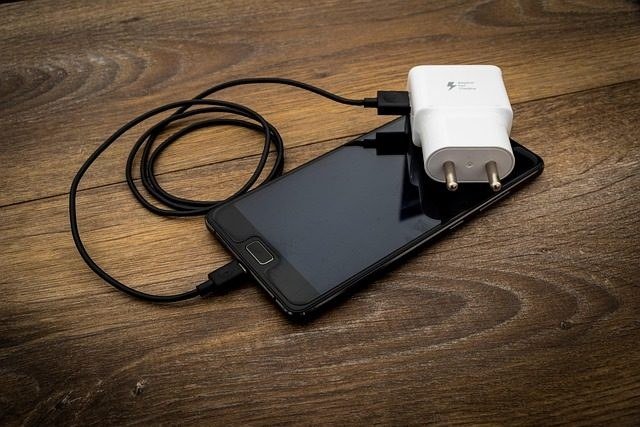
A silent phone on a dead battery feels like a crisis, yet the fault usually sits in the charging port or the cable, and a patient beginner can work through both without opening the handset or buying anything fancy. Silence from a handset that will not take power tends to push people toward panic buying or a repair queue, but the calmest path is a slow elimination of ordinary causes, one after another, with attention paid to what changes after each attempt. A plug that will not sit properly, a lead that has failed where nobody can see the break, a socket that delivers too little energy, or a handset that has paused charging for its own protection can all look identical from the outside, and only a methodical sequence separates them. Working in a set order matters because a random shuffle of attempts can hide the real fault, while a patient sequence makes the answer obvious when the screen finally lights. Nothing here asks for tools beyond a household pick made from wood or plastic, a spare lead, a spare charger, and a little time, and nothing asks for the back of the handset to be removed or a plug to be forced. When phone charging stops before full, working through the steps below in order is the calmest answer.
Clear the Charging Port of Packed Lint
Pocket fluff gathers inside a charging socket over months of daily carry, and the soft fibres press together into a firm pad that stops a plug from reaching its full depth, so the handset may charge now and then, or not at all, while the lead itself looks perfectly sound. Switching the handset off comes before any touch inside the socket, because a powered device with exposed contacts deserves caution, and a darkened room with a torch held at an angle often reveals the pale layer sitting at the back of the opening. A slim pick cut from wood or shaped from plastic lifts the packed material out in small pieces, and the motion should stay gentle, drawing outward rather than jabbing inward, with the pick never pushed hard against the sides. Metal picks belong nowhere near this job, because a metal edge can bridge the tiny contacts inside the socket and cause a short that turns a trivial clean into a serious repair, and a toothpick or a plastic dental pick does the same work without that danger. After the visible pad has gone, a short burst of air from a can held upright can shift the remaining dust, and the plug should then be tried again, pushed home with steady pressure until it sits flush and firm, with no wobble and no gap at the rim. When the plug finally seats with a solid feel and the charging symbol appears, the fault has been found, and making this clean a twice-yearly habit keeps the pad from building up again. If the plug still feels loose or the handset still stays silent, the socket is probably clear enough, and the fault lies further along the chain.
Swap Cables and Chargers One at a Time
A lead can fail inside its outer sheath near the plug with no mark on the outside at all, because the fine wires within bend a little every time the handset is picked up while plugged in, and after enough bends one of them parts, leaving a lead that looks new and behaves dead. Changing one piece at a time is the only way to catch this, because changing two pieces together leaves the fault unidentified, and the method is simple enough for anyone to follow. Borrow a spare lead and try it with the charger already in use, and watch for the charging symbol and any warmth or response on the screen, then, if nothing changes, keep the original lead and try a different charger, and finally try a different wall socket, each change on its own so the effect of each swap stays clear. A computer port can serve as a useful control in this sequence, because it offers a separate source of power that is independent of the wall charger, and a handset that charges from a computer while ignoring a wall charger has pointed firmly at the charger or the socket rather than at itself. Leads and chargers should be inspected as they are handled, with attention to fraying near the connectors, kinks that stay bent, and any yellowing or warping that hints at heat, and any lead that shows those signs should be set aside rather than trusted again. A lead that works only when held at a certain angle is already telling its story, and it belongs in the bin, because the internal break will only widen.
Test the Outlet and the Power Source
Not every source of power delivers enough energy to wake a modern handset, and a handset plugged into a low-energy computer port, an ageing car adapter, or a tired power strip can charge so slowly that it looks dead, especially while the screen is on and apps are running. A wall socket beats a power strip whose surge protection has worn out, because a failing strip can starve a charger of the energy it needs, and moving the charger to a socket on a different wall can reveal that difference in a single test. Charger ratings are printed in tiny letters on the body of the charger, and the rating tells how much power the unit can supply, with modern handsets needing a stronger supply for meaningful charging, so a charger that served an older handset well may simply be too weak for a newer one. Understanding the shared standard for power delivery over a universal connector helps when choosing a replacement, and the USB Power Delivery standard explained on Wikipedia gives a clear account of how that standard works and why wattage matters. Wireless charging adds its own traps, because a thick case or a metal accessory between the handset and the pad blocks the coil, and a handset left off-centre on the pad may sit silently while looking as though it is charging, so removing the case and centring the handset carefully can solve what looks like a dead battery.
Restart the Handset and Clear Software Snags
Sometimes the hardware is sound and the software has become confused, because the code that watches for a charger can fall into a stuck state after weeks without a restart, and a forced restart clears that state and lets the handset recognise power again. The button combination for a forced restart varies by model, so looking it up for the exact handset is worth the moment it takes, and the restart itself costs nothing and loses no data. Operating system updates deserve a look too, because charging faults are patched regularly by the makers, and a handset running an old version may carry a fault that has already been fixed. Safe mode offers another test, because it runs the handset with third-party apps held back, and a handset that charges in safe mode while refusing to charge normally has pointed at an app that interferes with charging, which can then be removed. Modern handsets also refuse to charge when liquid is sensed in the socket, and the socket must dry completely for several hours before charging is attempted again, with no attempt to override the warning. Battery health screens on the handset show whether a limit on charging has been switched on, and a setting that holds charging below full can look like a fault to an owner who has never seen it, so checking that screen before assuming damage is wise. Readers who want to understand a charging limit can also learn how a related setting behaves, and the comparison helps separate a setting from a genuine fault.
Read the Battery Health Screen
A battery that has lived through many charge cycles behaves differently from a fresh one, and the health screen in settings gives a plain reading of how much of its original capacity remains, which explains a handset that charges slowly, dies while still showing charge left, or switches off while plugged in. Apple states that iPhone batteries are designed to retain up to four fifths of their original capacity after five hundred complete charge cycles, and that figure gives a useful yardstick, because a battery sitting near that level will still serve for ordinary days, while one far below it will behave erratically. Android handsets offer similar diagnostics under their battery settings, and the reading should be checked alongside daily behaviour rather than on its own, because a number on a screen means little without the pattern of sudden shutdowns or rapid drain that goes with it. A handset whose battery is worn will often charge to a point and then stop, or show a full charge that vanishes within an hour of ordinary use, and those patterns point at the battery rather than at the lead or the charger. Knowing the reading before visiting a repair shop also changes the conversation, because a shop can be asked plainly about a battery swap rather than a vague charging fault, and the answer will be clearer for it. The principles of lithium-ion care are set out clearly in Apple’s guide to lithium-ion batteries, which explains why heat and deep discharge age a battery faster than ordinary use.
Know When a Repair Shop Is the Sensible Call
When cleaning, leads, chargers, sockets, and software have all been checked and the handset still refuses power, the fault has narrowed to genuine hardware trouble, and a repair shop becomes the sensible next step rather than a defeat. A socket that has grown loose after years of cable strain, a charging circuit on the main board that has failed, or damage from liquid that reached inside the handset all sit beyond the reach of home fixes, and opening the handset to chase them risks far more than it saves. Signs that point this way include a cable that feels wobbly in the socket, charging that works only while the cable is held at an angle, or a smell of burning, and a burning smell means the handset should be unplugged at once and left unused until a professional has seen it. A reputable local shop will often give a free diagnostic opinion, and that opinion is worth hearing before any money changes hands, because many shops will say honestly when a repair is not worth the spend. Asking for the diagnosis in writing, with the fault named and the work described, keeps the conversation clear and gives a record to compare against another shop if the first quote seems high.


