
One reused password quietly guards your inbox, your bank and your photographs all at once, which is exactly how a single leak turns into a very bad week. A second proof of identity breaks that chain, and setting it up everywhere important takes one focused weekend rather than the marathon people imagine. Order matters more than effort here. Work through the accounts that unlock everything else first, give each one a factor stronger than a text message where you can, and store the recovery material properly as you go, so the weekend ends with security that survives a lost phone.
Why a Stolen Password Alone Should Never Be Enough
Passwords fail in ways their owners never see. Services get breached and their password files leak, criminals test those stolen combinations against other sites in automated waves, and convincing lookalike pages trick people into typing credentials into the wrong hands. Reuse turns each of those failures into a master key: one password shared across an inbox, a bank, and a photo archive means one leak opens all three. Industry breach investigations repeatedly tie most intrusions to stolen or reused credentials, which tells you where the weakness actually lives. It is rarely exotic hacking. It is the password, alone, being asked to do a job it cannot do forever.
A second factor changes the arithmetic for an attacker. Knowing the password stops being sufficient, because signing in also demands something you hold, a phone generating a code, a prompt you approve, or a physical key, and the criminal working from another continent does not have it. Microsoft has reported that adding a second factor blocks well over ninety nine percent of automated account takeover attempts, and the failures that remain tend to involve targeted tricks rather than bulk theft. The companion habit is handling the passwords themselves well, and anyone keeping them outside a manager should learn how to store passwords safely on paper so a written record does not become the weakest link in the whole arrangement.
None of this makes an account invincible, and honest expectations help the work stick. A determined attacker can still try to talk a carrier into moving your number, phish you in real time, or steal an active session from an infected computer. The second factor raises the effort so sharply that mass attacks move on to easier targets, which is where nearly all account theft actually happens. Treat the setup below as risk reduction on a large scale, done once and maintained lightly, rather than a promise that nothing can ever go wrong.
Authenticator Apps, Prompts, and Hardware Keys Compared Plainly
The broad idea behind every option here is covered by the principles behind multi factor authentication, combining something you know with something you hold, and the practical choices differ mainly in how that second item reaches you. Text messages are the weakest form, because the code travels through the phone network: criminals can persuade a carrier to move a number onto a new subscriber identity module card under their control, then receive codes meant for the owner, a trick regulators log complaints about every year. Use text codes only where a service offers nothing better, and plan to upgrade those accounts when stronger options arrive.
Authenticator applications remove the network from the chain. During setup the service shows a square code, you scan it with the app, and from then on the app generates a fresh short code on the device itself every half minute or so, matching a code the service computes independently. Reading about how time based one time codes work explains why the two sides agree without ever communicating. Signing in means opening the app and typing the current code before it rolls over. Prompts are a close cousin: instead of typing, you approve a sign in request that appears on your phone, ideally checking that the location and device named in the prompt match the attempt you just made.
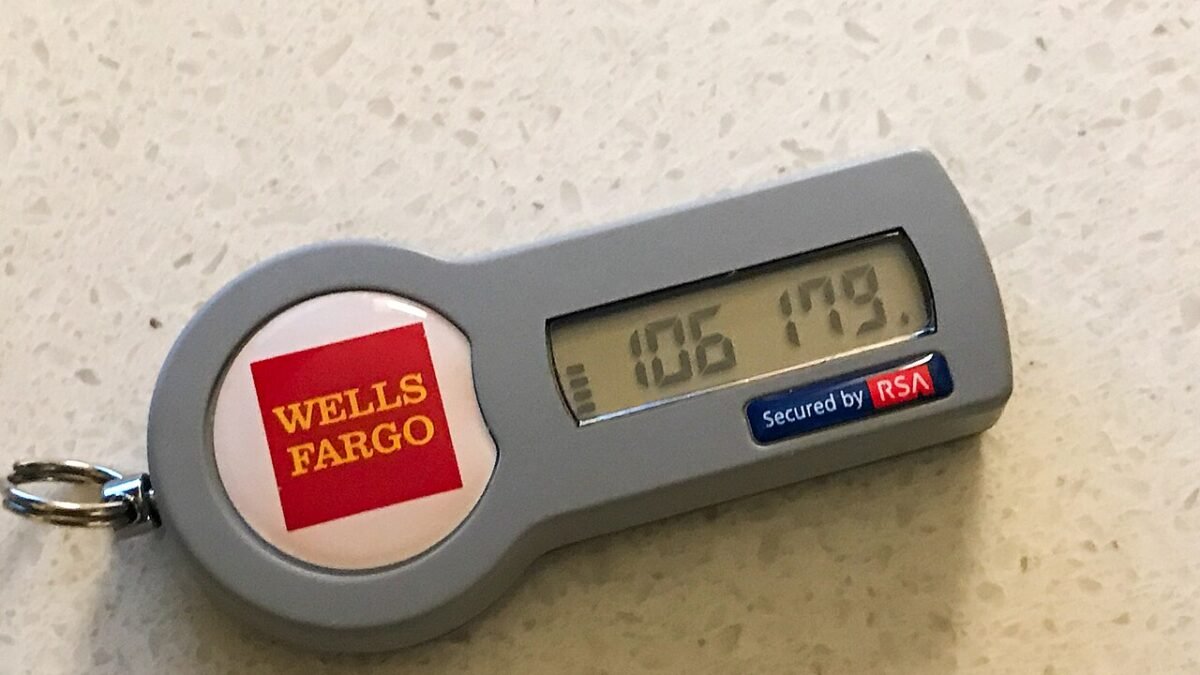
Hardware keys stand at the top of the ladder. A small key connects or taps against your device during sign in, and before responding it checks cryptographically that the page asking is the genuine service, which lookalike pages cannot fake, so a phishing site gets nothing useful even if you land on it. Keys suit email and financial accounts especially well, and buying a spare key, registered at the same time and stored somewhere safe at home, turns a lost key from a crisis into an errand. For most people the sensible pattern is an authenticator app across everyday accounts, prompts where platforms offer them, and keys guarding the few accounts that guard everything else.
Which Accounts Deserve Protection Before All the Others
Start with email, always. Password resets for nearly every other service travel through the inbox, so an attacker inside your email can reset the rest one by one while you sleep. Protecting the inbox first locks the door through which every other recovery flows. Directly behind it come the accounts that hold money or move it: banks, cards, investment and retirement services, and payment accounts where a stranger could send funds away in minutes.
Next, protect the accounts that control your devices and your identity. Your phone, computer, and cloud account credentials decide who can locate, lock, or wipe your hardware and read your stored photographs and documents, so they belong high on the list. The carrier account matters too, because whoever controls it may attempt that number transfer trick; set any port out protection the carrier offers while you are there. Then work through social accounts tied to your name or livelihood, cloud storage, shopping accounts holding saved payment details, and government or tax accounts, which carry the raw material for identity theft.
Keep momentum by working in short sittings rather than attempting every account in one exhausting sweep. The important handful takes a single sitting. After that, adopt a standing rule: whenever you sign in somewhere that offers a second factor you have not enabled, enable it on the spot, while you are already authenticated and the settings are open. That rule quietly finishes the long tail over the following weeks, and it costs about five minutes at a time, folded into visits you were making anyway.
Saving Recovery Codes So a Lost Phone Stays a Nuisance
Most services display a set of one time recovery codes at the moment you enable the second factor, and that screen is the most important one in the whole process. Those codes exist for the day the phone is lost, broken, or replaced carelessly, and each one signs you in once when the usual factor is unavailable. Save the full set immediately, before closing the tab: print it and file the paper with your important documents at home, or store it in a protected notes space you trust, and note which account each set belongs to, because a folder of anonymous codes helps nobody under pressure.
Build a second layer of redundancy wherever a service allows it. Many accounts let you register more than one factor at once, an app alongside one hardware key plus a spare key enrolled in the same sitting, and that pairing means no single lost object locks you out. When you replace your phone, move the authenticator before wiping the old device, using the transfer or export feature inside the app while both phones are in your hands, then test a sign in before the old handset leaves your possession. Most painful lockouts trace back to a wiped phone and recovery codes that were never saved, two entirely avoidable errors.
Treat recovery material like the keys it is. Never photograph codes into an ordinary camera roll that syncs everywhere, never email them to yourself, and never store them in a document sitting beside a written list of the passwords themselves. Anyone who finds both holds everything. Review the stored sets once, calmly, after the setup weekend, confirming each set is legible, labelled, and somewhere you could reach during a stressful evening with a dead phone in your hand. That check takes minutes and is the difference between a nuisance and a week of identity verification calls.
Passkeys and the Next Layer Worth Adopting Early
Passkeys take the same idea further by retiring the password itself. Built on open standards, a passkey is a cryptographic pair: one half stays on your device, guarded by your fingerprint, face, or device code, and the matching half sits with the service. Signing in becomes a quick unlock gesture, and because the device half only answers the genuine service, a fake page receives nothing it can replay, and there is no shared secret sitting in a database waiting to leak. Nothing needs memorising, and nothing typed can be intercepted.
Adopt passkeys as services offer them, starting again with email and money accounts, while keeping your existing second factors in place on accounts that have not made the move. During the changeover period most households will run a mixed setup, and that is fine: passkeys where offered, an app or key everywhere else, text codes only as a last resort. When you create a passkey, check whether it syncs through your platform account or stays tied to one device, since that decides how easily a new phone picks it up, and save any recovery route the service shows you at that moment, with the same care as the code sets above.
A Yearly Habit That Keeps Account Security Current
Security settings drift, so give them one short review each year, perhaps on the anniversary of the setup weekend. Open the security page of your important accounts and confirm the factors registered are still the phone and keys you actually own, remove any device you no longer recognise or no longer use, and upgrade any account still relying on text codes if the service has added an app or passkey option since your last visit. Check that recovery addresses and phone numbers on file are current, because a reset route pointing at an abandoned inbox helps an attacker more than it helps you.
Use the same review to refresh the paper trail. Replace any recovery code set you used during the year, since each code works only once, confirm the printed sets are still where you expect them, and make sure a trusted person at home knows where the spare key lives without knowing your passwords. Watch, between reviews, for sign in alerts from your services, and treat an unexpected prompt as information rather than noise: deny any approval you did not start, then change that password from a device you trust. A small yearly ritual like this keeps the whole structure honest, and the protection you built in one weekend keeps quietly doing its work.



3 comments