
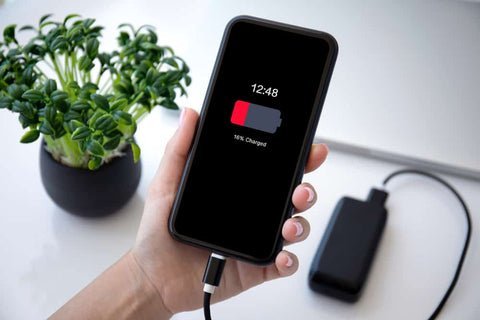
You unplug a fully charged handset at breakfast and watch the gauge slide alarmingly before lunch, despite barely touching the screen. That sinking bar feels mysterious, yet the phone keeps honest records of where energy went. Some culprits hide in background syncing, others in a tired cell that simply holds less than it once did. Patient checking separates a simple settings fix from a battery that truly needs swapping.
The trouble is that most people respond to that slide in the wrong order. They delete apps at random, switch off features they actually need, or start pricing a replacement battery before they have looked at a single piece of evidence. Each of those moves feels decisive, yet each one guesses at the cause instead of finding it. A phone that drains quickly is giving you information all day long, and the owners who read that information first almost always spend less time and less effort than the owners who start changing things blindly.
There is a quieter cost to guessing as well. When you change five settings in one afternoon, you can never know which change helped, which one did nothing, and which one silently made your day worse by muting alerts you relied on. Method beats urgency here. Treat the draining phone as a small investigation: gather the records, name the likely suspects, test one change at a time, and keep the possibility of genuine wear in view without leaping to it on the first bad day.
Habits That Quietly Drain a Healthy Battery
Start with the wrong turns, because they are so common. The first is assuming the battery itself is finished the moment the gauge starts falling faster than it used to. Batteries do wear out, but plenty of healthy batteries get blamed for drains caused by behaviour that changed after an update, a new app that never sleeps, or a move to a home or office where coverage is weaker than before. Replacing a sound battery fixes none of those things, and the fresh battery drains at exactly the same disappointing pace while the real cause carries on untouched.
The second wrong turn is the scorched earth approach: turning off location, syncing, notifications, and background data for everything at once. The phone sips power afterwards, certainly, but it also stops being useful. Messages arrive late, maps lose their bearings, and photos stop backing up. Within a week most people quietly switch everything back on, having learned nothing about which single habit was costing them charge. The drain returns, and by then it feels more mysterious than ever.
A third habit hides in plain sight. Many owners carry brightness near its highest setting all day because the screen looks wonderful that way, then forget that the room around them is not bright at all. Bright displays are among the hungriest parts of any handset, and a screen held at full brilliance through hours of reading, scrolling, and messaging consumes far more than the same screen allowed to settle to the light around it. Small habits, repeated daily, shape the gauge far more than one dramatic fault.
Weak signal belongs on this list too, because it rarely feels like a battery habit at all. When coverage is poor, the radio inside the phone works harder to hold its connection, searching and straining where a strong signal would let it rest. A desk in a back corner, a commute through patchy countryside, a building wrapped in metal: each can quietly tax the battery all day while the owner blames an innocent app. Constant location polling adds its own steady cost when apps are allowed to ask where you are far more often than their job requires.
Reading the Battery Screen Before Changing Anything
Every modern handset keeps a ranked account of its own spending, and reading it should come before any change at all. The battery usage screen lists apps by how much power they have consumed over a recent stretch, which turns guesswork into a short list of named suspects. An app you opened twice sitting near the top of that ranking is telling you something important: it has been working away unwatched, syncing, fetching, or polling in the background.
Read the ranking with patience rather than outrage. A navigation app used for a long drive deserves its place near the top, and a video call with family explains its own appetite honestly. What you are hunting for is the mismatch, the modest app with an immodest appetite, or the steady background activity that continues through the night while the phone lies face down on the table. That mismatch is where careful settings changes earn their keep.
On many phones the usage screen shows the display itself devouring a large share of the whole budget, which raises a separate question about how the screen is set up and whether a darker interface genuinely helps. That question is covered by the dark mode battery life research and the battery life on oled screens debate, and it is worth separating from app behaviour, because screen drain and background drain respond to entirely different fixes.
The battery health screen deserves the same calm reading. Modern handsets report remaining capacity directly, comparing what the battery holds now with what it held when new. That single figure tells you whether you are chasing a settings problem or a hardware problem, and it costs nothing to look. Owners who check it early avoid the classic wasted month of tweaking a phone whose battery was simply worn, and owners who check it before ordering parts avoid replacing a battery that was never the problem.
Taming Background Apps, Bright Screens and Weak Signal
Once the records name the suspects, the fixes can be surgical. For an app that works too hard in the background, begin by limiting its background activity or its refresh habits rather than deleting it outright. Many apps behave perfectly well when they are allowed to fetch updates only when opened, and you keep the features you actually use. Work through the top few offenders one at a time, giving each change a day or two, so you can see the effect in the next reading of the usage screen.
The Google support guidance on getting the most from an Android battery points owners to that same usage screen as the starting point, explaining how it reveals apps quietly working in the background so their activity can be reined in. The principle travels well across brands: find the worker you did not hire, then decide whether its background job is worth the charge it spends.
Screens respond to simple mercy. Let brightness adjust on its own to the room, or set it by hand to the lowest level that stays comfortable, and shorten the time the display waits before sleeping after you set the phone down. A screen that switches itself off promptly after every glance saves more across a week than any single dramatic gesture. Where a darker theme is offered inside the apps you live in, it may trim the display’s appetite further on suitable screens, though the calmer brightness habit matters more.
Signal deserves practical thinking rather than settings menus. If your desk sits in a dead corner, a phone resting there all day will strain for coverage, so moving it a short distance or keeping it nearer a window can ease the strain. Where a steady wireless connection is available for calls and data, leaning on it indoors takes work away from the struggling radio. Location settings repay a review as well: apps that genuinely guide you need frequent access, while many others manage happily with access only while in use, or with none at all.
Charging Routines That Shorten Battery Lifespan
How a battery is fed shapes how long it stays healthy, and some beloved routines work against it. Keeping a phone plugged in long after it has filled, day after day, holds the cell at its highest charge for hours at a stretch, which is a demanding place for it to sit. Nobody needs to watch a gauge anxiously, but unplugging reasonably soon after a full charge, and topping up in shorter sessions when convenient, treats the chemistry more kindly than leaving the handset tethered around the clock.
Deep drains carry their own cost. Regularly running a phone until it dies completely, then charging it back to full, asks more of the cell than shallower cycles spread across the day. Owners who plug in during a desk hour or a drive, keeping the charge in a comfortable middle range much of the time, generally ask less of the battery than owners who swing between empty and full. The battery demands no ceremony; it simply ages more slowly when extremes are occasional rather than habitual.
These routines matter because the wear they cause never announces itself. A battery treated roughly does not fail one morning; it shrinks, month by month, holding a little less each season, until the owner notices the gauge falling faster and blames an update or an app. By the time the pattern is obvious, the settings on the phone are innocent and the cell itself has quietly done years of extra aging. Gentle habits bought early are worth far more than heroic fixes attempted late.
Knowing When the Battery Itself Needs Replacing
There comes a point where honest checking stops pointing at settings. If the usage screen shows no greedy app, the screen is sensibly set, coverage is decent, and the gauge still falls far faster than it once did, the evidence is turning toward the cell itself. At that stage the battery health reading stops being a curiosity and becomes the deciding witness, because it reports directly how much of the original capacity remains.
The Apple support guidance on maximizing battery performance explains that lithium ion batteries age chemically with use, gradually holding less charge over time, and that once remaining capacity drops under eighty percent compared with when the battery was new, the maker treats it as worn and ready for service. That figure is best used as maker guidance rather than a cliff edge: a battery slightly above it may still disappoint, and one slightly below it may still suit a light user, but it gives the replacement decision a firm footing in evidence.
Weigh the decision against how the phone behaves, not against hope. A handset that cannot last a working day despite calm settings, honest readings, and a capacity figure sagging toward that guidance level is asking for a fresh cell, and replacing it restores the phone you already own. A handset whose capacity still reads healthily, by contrast, deserves another round of detective work rather than a new battery, because swapping a sound cell changes nothing. Evidence first, spending second: that order, kept from the beginning to this point, is the whole method.


