
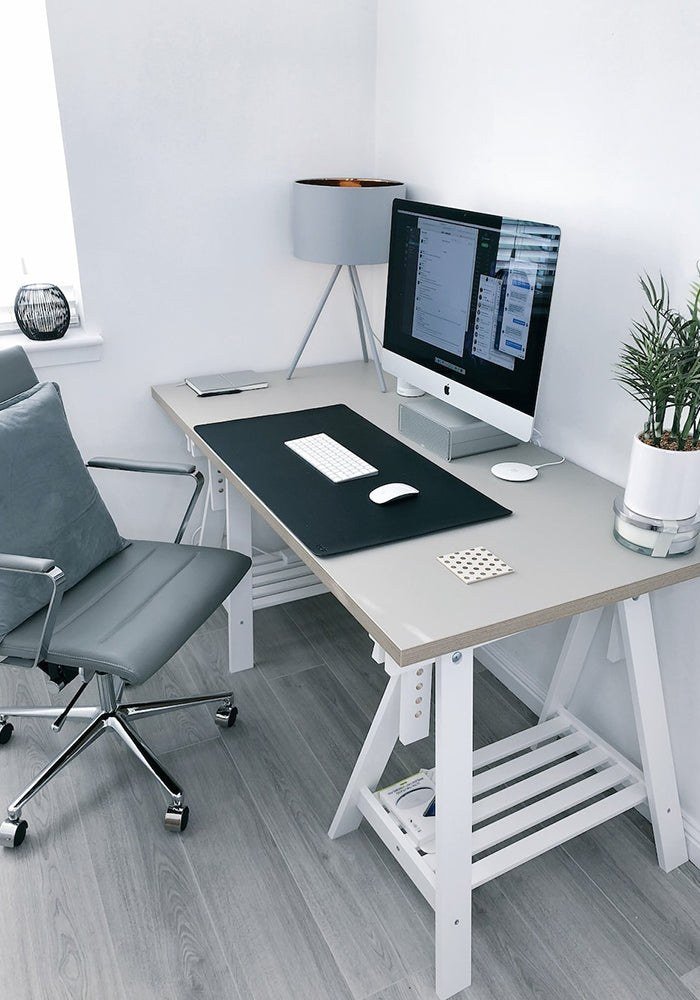
A kitchen table was never designed as a workplace, and the ache that follows a week of hunching over a laptop is the clearest sign that screen height and seating deserve attention before any gadget. The table is too low for the screen and too hard for the chair, the light comes from the wrong direction, and the body compensates by curling forward, hour after hour, until shoulders, neck, and lower back all complain at once. That ache is not a sign of weakness or of age. It is the body reporting, plainly and honestly, that the setup is wrong, and it is worth listening to before buying anything decorative. The right order is simple: raise the screen, support the back, free the hands, light the face, guard the work, and then make room to move. Buy in that order, and each purchase earns its place. Buy in any other order, and the ache remains while the desk fills with things that never helped.
Putting The Screen At Eye Level
The single most valuable change a remote worker can make is also the cheapest. The top edge of the screen belongs at eye height or a touch below it, and about an arm length away, so the head rests naturally on the spine instead of tilting down toward the lap. A laptop resting flat on a table forces the head down for hours, and the neck pays for that tilt with stiffness that spreads into shoulders and headaches. A laptop stand lifts the screen to the right height for free in spirit, and a stack of books reaches the same height for nothing at all, which means there is no excuse for waiting until a purchase arrives. Put the books under the laptop today, sit back, and feel the difference in a single afternoon.
Once the screen is raised, an external screen becomes the natural next step for anyone working long days. A larger display shows more of the page at once, keeps lettering comfortable through eight hours of reading, and removes the squinting that creeps in when a small laptop screen is the only view. choose a monitor for remote work Choose a size that fits the desk without crowding it, place it so its top edge meets the eye, and keep it at arm length, exactly as the laptop was placed. A screen that is too close forces the eyes to work harder, while a screen that is too far forces a lean forward that undoes all the good work of raising it. The aim is a relaxed gaze, level and steady, with the body upright and the shoulders down.
Choosing A Chair That Supports Your Back
After the screen, the chair is the purchase that matters most, because the body rests on it for hours and remembers every shortcoming. Feet belong flat on the floor with knees at a right angle, and lumbar support should fill the curve of the lower back, holding it gently rather than leaving it to sag. A dining chair, however handsome, offers none of that: it is too hard, too upright, and too fixed in height, and it teaches the body to slump within the hour. A proper work chair adjusts in height, supports the lower back, and lets the sitter shift position through the day without losing support.
Test a chair in person wherever possible, because bodies differ and a chair that suits one person may not suit another. Sit in it as you would sit to work, feet flat, back against the support, arms resting easily, and stay there for several minutes rather than a quick bounce. Notice whether the lower back feels held, whether the seat edge presses behind the knees, and whether the height lets the feet rest flat without dangling. A chair bought new carries a warranty that matters for something used every day, and it is worth buying new for that reason, even while desks and lamps can be found secondhand. The chair is not furniture; it is the foundation the working day rests on.
Adding A Keyboard And Mouse That Fit Your Hands
Once the laptop is raised, its own keyboard becomes unreachable, which is exactly why a separate keyboard and mouse belong next in the order. Elbows belong at a right angle with wrists straight and floating, never resting on desk edges, and a separate keyboard and mouse make that posture possible once the laptop sits high. A keyboard placed flat on the desk, at a height where the forearms rest easily, lets the hands type without bending the wrists upward or downward, and a mouse that fits the hand lets the arm move from the shoulder rather than from a cramped wrist. Laptop keyboards, however clever, destroy wrists over time when used for hours at an awkward angle, because they force the hands to stay close together and low down.
Choose a keyboard and mouse that fit the hands using them, not the hands in the advertisement. A keyboard with keys that feel distinct under the fingers, with enough space between them to avoid constant slips, and with a gentle slope rather than a steep tilt, will serve through long days of typing. A mouse that fills the palm without forcing the fingers to stretch, and that moves smoothly without a tight grip, will keep the wrist relaxed. Test both in person if possible, type a paragraph, move the mouse through a full screen, and notice whether the shoulders stay down and the wrists stay straight. Comfort in the shop is a fair guide to comfort at the desk, and discomfort in the shop will only grow with use.
Lighting Your Face And Taming Echo On Calls
Video calls have become the meeting room, and lighting decides whether a worker looks present or disappears into shadow. Facing a window or a lamp keeps the face lit, so colleagues see expression and attention, while bright light behind the sitter turns them into a silhouette, with a glowing outline and a face lost in dark. The fix is simple and costs nothing: turn the desk to face the light, or move the lamp to face the sitter, and check the picture before the call begins. A small lamp or a ring light can help on dull days, yet the direction of the light matters far more than its price, and a well-placed ordinary lamp will beat an expensive light placed behind the head.
Sound matters as much as light, because a voice that echoes or fades makes every call harder than it needs to be. Soft furnishings such as a rug or curtains tame echo, absorbing the reflections that make a bare room sound hollow, and they make the room itself more pleasant to sit in through the day. A headset with a clear microphone helps further, keeping the voice close and steady while shutting out the hum of the house, and it signals to housemates that work is happening, which is a kindness in a shared space. ergonomics research and guidance The aim is not a studio, but a room where the voice carries clearly and the face is easy to read, so calls feel like conversations rather than strains.
Guarding Power Backups And Files
Behind the visible setup sits the invisible work of guarding it, and this deserves a place in the order before any decorative purchase. A wired network cable to the desk beats any wireless upgrade for call stability, because a cable does not drop when a neighbour’s network interferes or when the router is busy, and a call that stays connected is worth more than a call that looks fast on paper. A surge protector shields the kit when power cuts out mid-project, guarding the screen, the laptop, and the files open on them from a sudden loss that can corrupt work in a moment. Keep a backup charger at the workstation, so the pre-meeting hunt for a cable never happens again, and keep the charger in the same place every day, so finding it becomes habit rather than a search.
Files need the same guarding as power. A backup, whether on an external drive or through a cloud service, protects the work when a laptop fails, is stolen, or is damaged, and it should run without needing to be remembered. Set it once, check that it runs, and then let it work quietly in the background, because a backup that needs daily attention is a backup that will be forgotten on the day it matters. The habit of guarding power and files is unglamorous, yet it is what separates a setup that survives a bad day from one that loses a week’s work to it.
Making Room For Movement Through The Day
No equipment, however well chosen, can replace regular movement, and the final step in the order is to build movement into the day itself. The twenty twenty twenty rule asks the eyes to rest on something twenty feet away for twenty seconds every twenty minutes, giving the focusing muscles a pause from the screen and easing the strain that builds through long hours. Set an hourly reminder to stand, stretch, and walk, even if only to the kitchen and back, because a body that moves through the day stays looser, clearer, and more alert than one that sits unbroken from morning to evening. A standing desk or a converter that lifts the work surface can help those who like to alternate, yet it is a later upgrade rather than a day-one essential, and it helps only if it is actually used to alternate rather than standing all day in place of sitting all day.
Small-space and shared-space variants fold naturally into this closing picture. A folding desk fixed to the wall gives a compact flat a work corner that tucks away once the working day ends, so the living room feels like home again each evening. A closet office, with a modest desk and good lighting, works surprisingly well, turning an unused corner into a focused space. For shared rooms, noise-cancelling headsets and a simple divider preserve focus and signal working hours to housemates, so the boundary between work and home stays clear even when the room is shared. remote work arrangements Keep the kit portable if work moves between home and office, with a laptop stand, a compact keyboard, and a mouse in a bag that replicate the same ergonomics anywhere, so the body never has to relearn a bad posture in a new place.



One comment