The hardest part of weeknight cooking is rarely the cooking — it is standing in front of an open fridge at 6 p.m. with chicken thighs, half a cabbage, some eggs, and no idea. ChatGPT turns out to be genuinely good at exactly this problem, because meal planning from a random ingredient list is a pattern-matching task, and that is what the tool does best. Give it an honest inventory and clear constraints, and it will build a week of dinners that use what you already own.
This guide shows you the exact process: how to take inventory, the prompt structure that gets useful plans instead of generic ones, how to turn the plan into a short shopping list, and the mistakes that make AI meal plans fall apart by Wednesday.
Quick Answer
Take a full inventory of your fridge, freezer, and pantry, then paste it into ChatGPT with your household size, time limits, dietary restrictions, and any ingredients that must be used first. Ask for a day-by-day dinner plan that prioritizes perishables early in the week and reuses ingredients across meals, plus a shopping list of only the missing items. Then iterate: swap dishes you dislike, ask for prep shortcuts, and request a prep-day plan. A good first prompt gets you 80% of the way; two or three follow-ups make it a plan you will actually cook.
Step 1: Take a Real Inventory (Five Minutes That Decide Everything)
The plan is only as good as the list you feed it. Walk through three zones and write down what you actually have, with rough quantities and any use-by concerns:
- Fridge: proteins, dairy, eggs, produce, condiments, leftovers, anything expiring in the next 3 days
- Freezer: frozen meats, vegetables, bread, stocks, batch-cooked items
- Pantry: rice, pasta, canned beans and tomatoes, oils, spices, onions, garlic, potatoes
Quantities matter. “Chicken” could mean one breast or a family pack, and the plan changes completely. Note amounts in plain language: “4 chicken thighs,” “half a bag of spinach,” “1 lb ground turkey, frozen.” Also mark your use-first items — the spinach wilting by Thursday should drive Monday’s and Tuesday’s dinners, not Saturday’s.
Step 2: The Prompt That Produces a Usable Plan
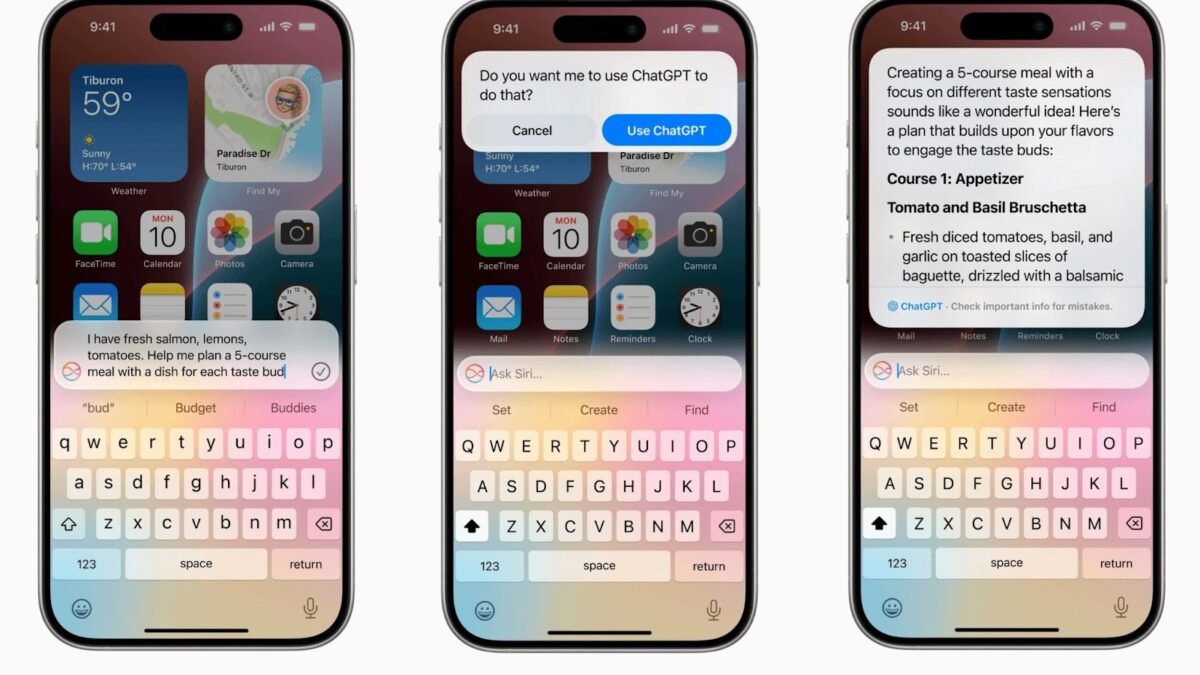
A vague prompt (“plan my meals”) gets a vague, generic plan built around ingredients you may not own. A structured prompt gets a plan built around your kitchen. Use this template and fill in your details:
- “Here is everything I have: [paste inventory].”
- “Plan 5 weeknight dinners for 2 adults and 1 child. Each dinner must take 35 minutes or less.”
- “Use the spinach, yogurt, and chicken thighs first — they expire soonest. Reuse ingredients across meals where it makes sense.”
- “No mushrooms. One vegetarian dinner. Nothing spicy for the child.”
- “For each day, give the dish name, main ingredients used from my list, and approximate time. Then give me a shopping list of only what I still need.”
That last constraint — a shopping list of only the gaps — is what turns the exercise from entertainment into savings. A typical result uses 85% of what you own and asks you to buy a lemon, a can of coconut milk, and fresh herbs instead of a whole new cart. The same structured-prompt approach powers most good AI kitchen help, much like the setup thinking behind using AI personal tutors on a budget — the tool is free; the quality comes from how specifically you brief it.
Step 3: Interrogate and Improve the Plan
Treat the first plan as a draft and push on its weak points:
- Swap freely. “We had tacos last week — replace Tuesday with something else that still uses the ground turkey.”
- Check the sequencing. “Does anything later in the week depend on an ingredient that will spoil by then?” Ask it to re-order so delicate produce lands early and hardy items (cabbage, carrots, frozen veg) land late.
- Ask for the prep map. “What can I prep on Sunday in 45 minutes to make weeknights faster?” Expect answers like cooking a big batch of rice, marinating proteins, and washing greens — the plan suddenly becomes realistic.
- Get cooking help per dish. “Give me the full recipe for Wednesday’s soup with the quantities I have.” ChatGPT scales recipes to your amounts reasonably well.
- Plan the leftovers. “Which dinners make good next-day lunches? Build that in.”
Step 4: Turn the Plan Into a Routine
Once a plan works, save the conversation. Next week, you only need to update the inventory and say “same constraints as last time, new inventory.” Many people keep a running note on their phone where they jot items as they run out or buy them, so the weekly prompt takes two minutes to assemble. Pair the plan with a magnetic whiteboard or a shared note so the whole household can see what is for dinner — half the value of a meal plan is ending the daily “what should we eat” negotiation.
Realistic Expectations: What ChatGPT Gets Wrong
ChatGPT does not know your kitchen, and it makes characteristic mistakes worth checking for:
- It assumes staple ingredients. Butter, oil, garlic, soy sauce, flour, and common spices appear in its recipes without being on your list. Scan recipes for assumed ingredients before you commit.
- Quantities can be loose. “Some spinach” might be a garnish in one recipe and a pound in another. Ask it to state amounts when a recipe matters.
- It can over-promise your perishables. If it schedules fresh fish for Friday that you bought on Monday, fix the order — freshness logic still needs a human check.
- Nutrition claims are estimates. Treat calorie and protein figures as rough guidance, not data, and check anything medical with a reliable source like the USDA MyPlate resources rather than the chat window.
Common Mistakes People Make With AI Meal Planning
- Giving a partial inventory. If you only list the fridge, the plan ignores the freezer chicken you needed to use — and you end up buying duplicates of pantry staples you already own.
- Skipping constraints. No time limit, no household size, no dislikes — then rejecting the plan as unrealistic. The constraints are the plan.
- Accepting the first draft unchanged. The first output is a starting point. The swaps and sequencing fixes are where it becomes yours.
- Not marking use-first items. Without expiry priorities, the model happily schedules your delicate greens for Sunday.
- Planning seven nights. Most households eat out, order in, or eat leftovers at least one or two nights. Plan five dinners and two flex nights and the plan survives contact with real life.
- Forgetting to ask for the shopping list. Without it, you shop from memory and re-buy what the plan was supposed to use up.
Conclusion
ChatGPT will not cook dinner for you, but it removes the two parts people actually hate: deciding what to make and figuring out what to buy. A five-minute inventory, a structured prompt with real constraints, and a couple of follow-up fixes produce a week of dinners built around food you already paid for. Start with five nights, mark your use-first items, and always make it generate the gap-only shopping list. Most people who try it once keep the routine — the fridge stops being a guilt museum and starts being a plan.
FAQ
Can ChatGPT plan meals around dietary restrictions like gluten-free or keto?
Yes, and it handles common restrictions well when you state them explicitly in the prompt and repeat them when asking for recipes. For medical diets — diabetes management, severe allergies, kidney diets — use it for ideas only and verify against professional guidance, because it can occasionally include an ingredient that violates the restriction.
How do I stop it suggesting ingredients I do not have?
Tell it directly: “Only use ingredients from my list, plus salt, pepper, oil, and these staples: [name them]. Flag anything else as a shopping list item.” Listing your assumed staples closes the loophole where recipes silently require butter, garlic, or stock you never mentioned.
Is the paid version of ChatGPT better for meal planning?
Not meaningfully for this task. Meal planning plays to the strengths of the free tier — organizing, combining, and reformatting information you provide. The paid tiers help more with analyzing photos of your fridge or very long, complex planning documents.
Can I give it a photo of my fridge instead of a list?
On versions that accept images, yes, and it works surprisingly well for identifying major items. It will still miss quantities, items in drawers, and everything in the freezer and pantry, so treat the photo as a starting draft and correct the list before asking for the plan.